
8 Best Cloud Storage for Small and Startup Businesses
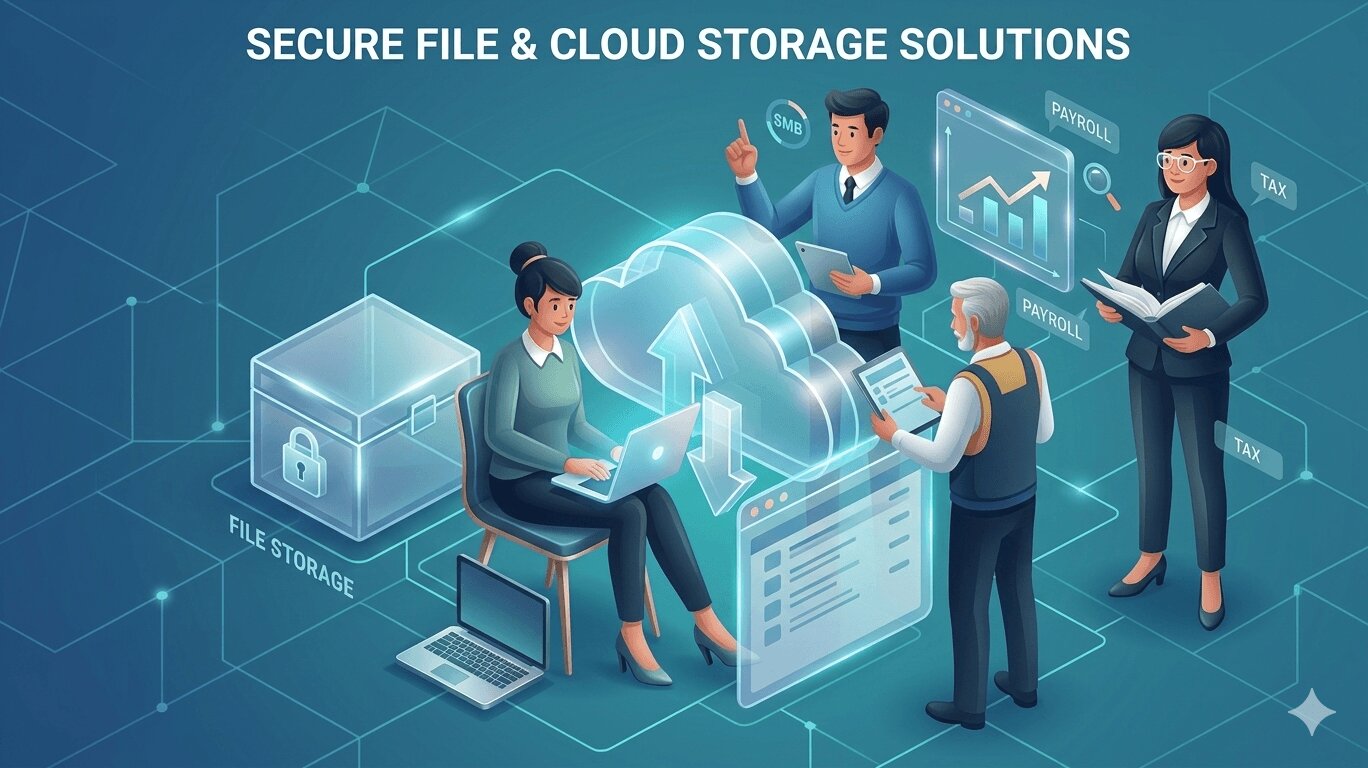
Data now fuels almost every move a business makes, from daily tasks to client work and team coordination. That is why storing it the right way matters more than ever. Relying on local devices might feel handy and easy, but it slows everyone down and raises the chance of losing files when they end up scattered across gadgets. Cloud storage offers a clean and reliable escape from that mess.
It trims costs, opens up easy access to files, and keeps in-office and remote teams working together in real time. The real task is choosing a service that truly supports your goals, especially when you run a smaller operation. The good news is the market offers plenty of strong choices. You just need to select one that matches your team’s rhythm and the way your business actually works.
Key Features to Consider in Small Business Cloud Storage
When choosing the right cloud storage, there are certain features that your business would need to look for. Here are some of the important features to look for:
Scalability for Growing Storage Needs
It also helps to choose a cloud storage provider that can handle large file formats, even if you only need that feature later on. Some small businesses eventually work with heavier files like CAD designs, long videos, product photos, or marketing assets. When your storage can manage these without slowing down or breaking, you avoid a lot of future headaches.
Choosing a provider that gives you room to expand makes it easier to try new ideas, bring in more people, and level up your operations with confidence.
Built-In Collaboration Tools
Collaboration tools matter a lot, especially now that many small businesses work with both in-office and remote team members. You want cloud storage that makes it easy for everyone to work together without feeling disconnected. Look for features like real-time editing, version history, shared workspaces, and secure links. These tools let your team jump into a file, make updates, and stay organized without worrying about who has the latest version.
This setup helps your process feel steady and coordinated. Team members can access the same documents whether they are at home, stepping out for errands, or sitting in the shop. It removes the usual confusion that comes from files being saved in too many places. For small businesses that rely on quick decisions and tight teamwork, these features bring a noticeable boost to daily productivity.
Integration With Everyday Business Apps
Make sure your cloud storage works smoothly with the tools you already use every day. Most small businesses rely on apps like Google Workspace, Microsoft 365, their CRM, or a project management tool to keep things moving. When your storage connects well with these platforms, your team spends less time hopping from one app to another and more time actually getting work done.
This kind of compatibility also helps keep your files safe. Nothing is more frustrating than losing a document because it was saved in the wrong place or someone downloaded the wrong version. When everything syncs together, your files stay organized, updated, and easy to find. It creates a workflow that feels natural, not messy, which is a huge win for busy teams that do not have time for technical headaches.
Ease of Use and Team Adoption
Not everyone has the technical competence to run complicated apps or programs. So, the cloud storage option you should choose is user-friendly. This ensures the learning curve is short and simple, allowing everyone to use the storage properly in just a few days.
Transparent Pricing and Value
Compare storage limits, user caps, and paid tier features. Favor platforms offering unlimited file sizes, team features, or security tools without extra charges. Scalable pricing models prevent locking teams into high upfront costs.
Top Cloud Storage Options for Small Businesses
1. Google Drive – Best Overall for Collaboration and AI
Collaboration should feel easy. With Google Drive, it does. People can jump into the same document, make edits, leave comments, assign tasks, and see exactly what changed. You stay in control of who can view, comment, or edit. When you deal with client data or financial records, that control matters.
Work flows better when everything lives in one place. Files are organized. Updates happen in real time. Your team does not waste energy chasing the latest version. Less friction means fewer mistakes. And fewer mistakes mean fewer headaches.
Security is not an afterthought. Google Drive encrypts data while it moves and while it sits in storage. Admins can require two step verification, manage access, track activity, and even wipe data from a lost device. Small teams get serious protection without needing a room full of security experts.
Then there is the AI. It helps summarize documents, draft content, and surface the information you actually need. Search understands context, not just file names. That saves time. And time is one resource every small business wants more of.
Standout features:
- Gemini AI for summarizing content and fast information retrieval
- Real-time collaboration on Docs, Sheets, Slides, and Office files
- Strong access controls and ransomware protection
2. NordLocker – Best for Encrypted Cloud Storage + Private Sharing
NordLocker keeps its priorities straight. Security comes first. Your files are encrypted on your device before they ever leave it. Only you and the people you approve can open them. If your team handles contracts, financial records, or private client data, this matters. Zero knowledge encryption means even the provider cannot read your files. Your information stays yours.
Sharing stays simple. You choose who gets access. You control permissions. You decide what they can see and what they can do. Clear settings reduce careless mistakes, and careless mistakes are often the real threat.
Strong passwords and extra verification add another layer of defense. The platform does not bury you in technical settings, so small teams can stay secure without hiring a security specialist.
If privacy is your line in the sand, NordLocker respects it. It protects your files and keeps the process straightforward.
Standout features:
- Password-protected sharing links with extra security codes
- Zero-knowledge architecture ensuring NordLocker never sees your files
- Cross-platform sync across Windows, macOS, Android, iOS
3. Box – Best for Unlimited Storage + AI + E-signatures
Box understands what small teams need. Space. Practical tools. Less hassle. You get generous storage, so you can keep everything in one place and stop thinking about limits.
The smart features pull their weight. AI helps you find the right file faster and brings relevant documents to the surface. Routine tasks take less effort. Your team spends more time working and less time searching.
Built in e signatures make life easier. You can send documents for signing without leaving the platform. Fewer apps. Fewer delays. Faster approvals.
Access controls decide who can see and edit files. Activity logs show what happened and when. Encryption protects data while it moves and while it sits in storage. You stay informed and in control.
If your business wants strong storage, intelligent tools, and smooth document signing without extra complexity, Box keeps things efficient and secure.
Standout features:
- AI-powered content insights
- Easy vendor collaboration
- Secure onboarding and file-level access controls
4. Sync.com – Best for Privacy-Focused Small Teams
Sync.com keeps privacy front and center. It uses strict zero knowledge encryption. Your files are encrypted before they leave your device, and you hold the keys. No one else can read your data. Not even the provider. That is serious control.
If your team handles contracts, financial reports, or client records, this level of privacy lowers your exposure risk. Fewer eyes. Fewer vulnerabilities. More peace of mind.
Then there is The Vault. It lets you store files in the cloud without syncing them to every device. Sensitive documents stay online and do not automatically land on laptops or shared computers. If a device goes missing, your most critical files stay protected.
You also get no size limits on uploads. Large videos, design files, backups, and data archives can go up without restrictions. No splitting files. No extra steps.
Zero knowledge encryption, The Vault, and unlimited file sizes create a clean and secure setup. Sync.com protects what matters while keeping daily work simple and efficient.
Standout features:
- Granular permissions and activity logs
- Version history and Sync Vault for long-term storage
- Instant access for external collaborators without requiring a Sync account
5. Microsoft OneDrive – Best for Microsoft 365 Users
If your team already works inside Microsoft 365, OneDrive feels natural. It connects with Word, Excel, PowerPoint, and Outlook, so everything stays in one flow. Save. Share. Edit. No switching tools every five minutes. Work feels cleaner and more focused.
Security is handled quietly but seriously. Your data is encrypted while it moves and while it is stored. Admins can require multi factor authentication, set access rules, and monitor activity from one central place. You stay in control without building a complicated system.
Mistakes happen. So does ransomware. OneDrive gives you file versioning and recovery options. If something goes wrong, you can restore a previous version and keep moving. That protects your time and your sanity.
When your business already runs on Microsoft 365, OneDrive simply belongs there. It supports teamwork, protects your data, and keeps things steady without adding extra noise.
Standout features:
- Desktop and mobile backup
- Secure sharing with access controls
- Copilot AI for enhanced productivity
6. Dropbox – Best for Ease of Use and Project Management
The platform is easy to navigate, which reduces onboarding time and user errors. Teams can upload, organize, and share files without a steep learning curve.
A key feature is Dash AI for project spaces, which is designed to help teams organize work and surface relevant files faster. It aims to centralize information across projects so users spend less time searching and more time executing tasks.
Centralized search makes it easier to locate documents across folders and shared spaces. Secure file sharing allows you to control access through permissions, passwords, and expiration dates. This helps protect sensitive documents while keeping collaboration smooth.
Dropbox also includes built in PDF editing and electronic signatures. Teams can review, edit, and send documents for signing without switching platforms. That supports faster approvals and tighter document control.
For small businesses that value simplicity, structured project spaces, and secure collaboration tools, Dropbox provides a balanced mix of usability and protection.
Standout features:
- Dash AI for project spaces (coming soon)
- Centralized search and secure file sharing
- PDF editing and electronic signatures
7. TitanFile – Best for Sensitive or Compliance-Heavy Work
TitanFile is built for teams and businesses that handle confidential information under strict regulations. It uses strong encryption for files both in transit and at rest so your data stays protected against unauthorized access and interception.
Security and compliance are core parts of how the platform is designed. TitanFile meets industry standards like ISO 27001, SOC 2 Type II, HIPAA, GDPR, and PIPEDA, helping you adhere to legal and regulatory requirements without extra tools.
You also get unlimited file size transfers and storage, so you can upload large documents, videos, or project folders without worrying about limits. Audit logs and access controls let you see who accessed what and when, which matters for reporting and accountability.
For small teams that must protect sensitive client data or comply with industry rules while keeping workflows simple, TitanFile offers strong controls and secure sharing in a way that does not add unnecessary complexity.
Standout features:
- Secure portal for client communication and document exchange
- DocuSign and Outlook integration for easy, compliant signatures
- Full audit logs to track access, uploads, and downloads
8. AWS S3 – Best for Scalable, Customizable Storage (Advanced Users)
Amazon S3 is designed for businesses that need flexible and highly scalable storage. It is part of the broader Amazon Web Services ecosystem, which means it can connect with many other cloud tools and services.
One of its core strengths is high performance and strong consistency. When you upload or update an object, changes are immediately available. That reliability is important for applications, backups, analytics systems, and platforms that depend on real time data access.
Access management is granular and precise. You can control permissions at the bucket or object level using policies and roles. Encryption is available for data in transit and at rest, with options to manage your own encryption keys. This level of control supports organizations with strict internal security standards.
S3 Object Lambda allows you to process and modify data as it is retrieved. This means you can filter, transform, or redact information without changing the original stored object. Integration with other AWS services enables automation, monitoring, analytics, and serverless workflows.
For advanced users who need scalable infrastructure, detailed access control, and deep customization, AWS S3 provides a powerful and secure foundation.
Standout features:
- High performance and strong consistency
- Access management and encryption
- S3 Object Lambda and integration with AWS services
Making Cloud Storage a Strategic Advantage
Begin by looking at the moments when your work slows down. Maybe approvals drift from day to day, maybe people hold back from sharing files, or maybe client documents stay tucked inside inboxes without real protection. These moments show you where a good platform can make an immediate difference.
A service built for strong security brings confidence when you handle sensitive files. A platform designed for smooth teamwork removes delays. A system that places privacy at the center gives your business full control in a time when data protection carries more weight than ever.
Choose with the wide view in mind. The platform you embrace today can help you respond to clients with more speed, meet requirements with steady confidence, and give your team a space where they can focus on real results instead of wrestling with scattered files. The right cloud storage does more than hold your data. It lifts the way you work and prepares your business for the road ahead.

Cloud storage isn’t just for techies anymore, it’s where we dump everything from work files to vacation selfies. It’s convenient, affordable, and works across all your devices.

Cloud storage is the upgrade your files have been waiting for. At some point, we all run out of space for our photos, videos, and random digital stuff.