
12 Clear Signs Your Wifi Is Hacked and What You Should Do
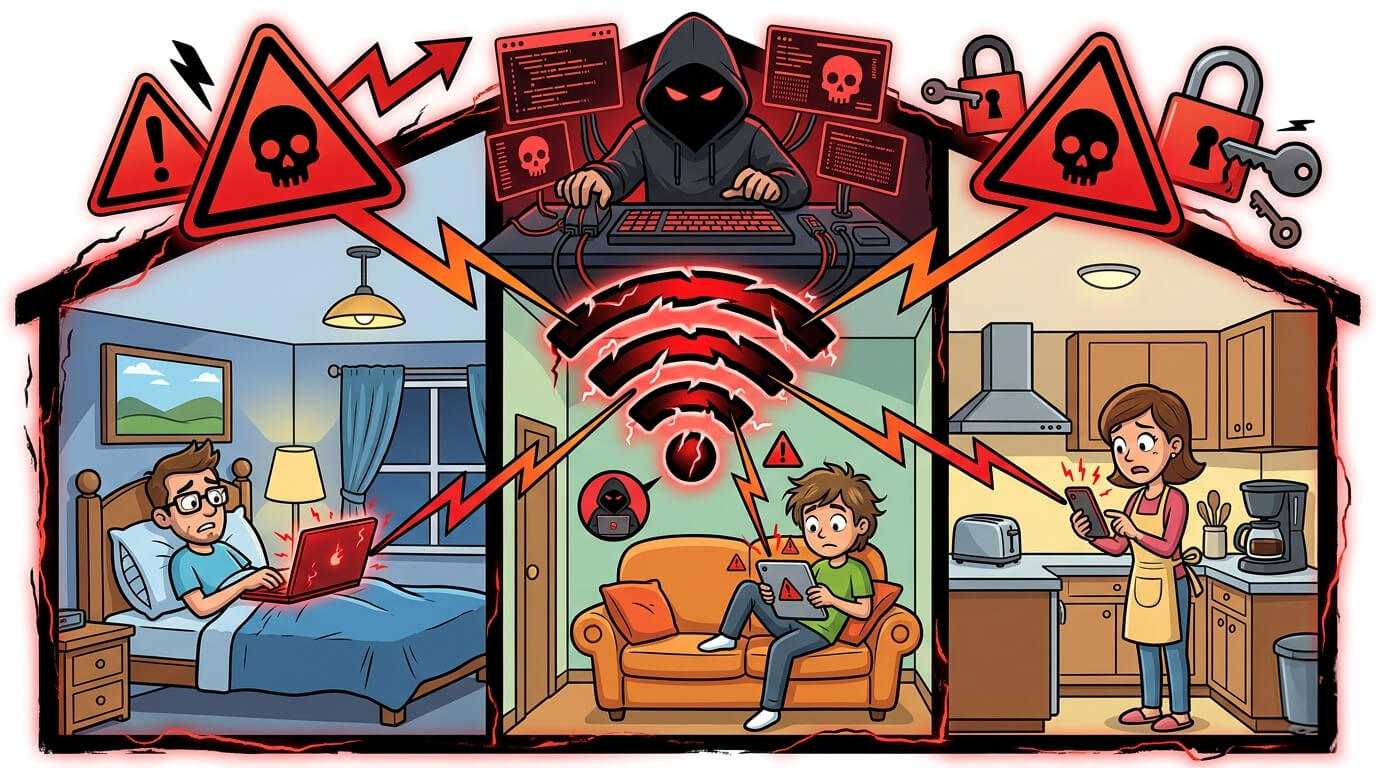
Your router is basically the unsung hero of your life nowadays. Every time you stream, scroll, shop, work, or let your smart home do its thing, it’s quietly keeping everything connected. You probably don’t even think about it… until something goes wrong.
And in 2026+, homes are packed with gadgets, phones, laptops, TVs, smartwatches, cameras, speakers… even those random devices you forgot you bought. A recent study found that the average household has over 20 connected devices at any given time. That’s a lot of data flying around, and honestly, it’s a lot of chances for someone to sneak in unnoticed.
Knowing how to tell if someone hacked your router is huge because it helps you catch problems early, before your privacy gets invaded or your internet slows to a crawl.
1. Your Internet Slows Down for No Clear Reason
Internet slowdowns happen, yeah. But if your connection suddenly drags when you’re just browsing or checking email, that’s suspicious. Pages take forever to load. Videos drop quality. Even scrolling social media feels sluggish.
Someone might be quietly using your connection to download, run apps, or move data. And this usually shows up at weird times when normally you wouldn’t be online like late night or very early in the morning. That random slowdown? One of the first signs your internet is tapped.
2. Unknown Devices Appear in Your Connected Device List
A simple way to figure out how to check if wifi is hacked is to peek at your router’s connected devices. If you see unfamiliar names, that tells you something is off..
Your house probably has a ton of gadgets, so it’s easy to dismiss a random name. But if no one in your home owns it, someone else is connected. Hackers often leave their devices on your network so they can come back later without being noticed.
3. Your Wi-Fi Name or Password Changes Without Warning
You’re connecting and you couldn’t. Maybe your Wi-Fi name looks different or the password suddenly doesn’t work. If you didn’t change it, someone else did.
Hackers with admin access can rename your network, switch passwords, or tweak settings to lock you out. This is one of the clearest ways to see how to tell if someone hacked your router. Networks don’t just rename themselves out of nowhere.
How do hackers get that access? A few common ways make it possible. Some routers still use default admin credentials that anyone can try. Weak Wi-Fi passwords also make it easier for someone to join the network and attempt a login. Outdated router firmware can contain security flaws that attackers exploit. In some cases, malware on a connected device can even change router settings without the user noticing.
4. You Get Redirected to Odd or Suspicious Websites
If browsing takes you to strange pages filled with pop-ups, fake logins, or ads you didn’t expect, your router’s DNS settings may have been messed with. Some pages might look legit, but something feels off.
When your wifi is hacked, your router acts as a middleman and can redirect your traffic wherever the hacker wants. They often use this to steal passwords or trick you into downloading sketchy files. Subtle, but very telling.
5. Router Lights Blink Even When You’re Not Using Wi-Fi
Notice your router flashing non-stop at 2 AM while everyone’s asleep? That’s suspicious. Constant activity usually means data is moving through your network without your knowledge.
Normal blinking is fine when people are online. But if everything’s idle and the lights are still going? That’s a quiet sign your internet is tapped. It’s easy to miss unless you actually pay attention.
6. You Can’t Log In to Your Router Admin Panel
You try your usual password… and it doesn’t work. Some settings might be missing, locked, or replaced with weird error messages. That is a sign you need to look closer.
If you can’t access your own router, someone else probably can.
7. You Receive Login Alerts on Connected Accounts
Getting emails or notifications about logins from weird locations or odd hours when you weren’t doing anything could be the culprit.
A compromised router can monitor what your devices send and receive, giving hackers clues to your accounts and passwords. If multiple apps alert you at the same time, that’s one of the clearest signs your internet is tapped.
8. Smart Home Devices Start Acting Strange
Smart home gadgets usually run quietly in the background. But if cameras turn on by themselves, smart speakers answer questions you didn’t ask, lights change on their own, or app logs show activity when you’re not home… pay attention.
With more smart homes in 2026+, router hacks often show up here first. If your wifi is hacked, attackers can reach these devices, and the gadgets often give you an early warning before your main devices do.
9. You Notice Data Usage Spikes You Can’t Explain
Check your ISP dashboard. If data usage spikes during days you barely used the internet, something’s off. Upload usage matters even more because attackers often send data out.
This is one of the easiest ways to spot trouble when learning how to check if wifi is hacked. Unexpectedly high usage? Red flag.
10. New Admin or Guest Accounts Appear
Scroll through your router’s accounts. Extra profiles, especially ones with full admin access that you didn’t create, are a serious warning.
Hackers leave these accounts so they can come back anytime, even after you change the main password. If you didn’t create them, remove them immediately.
11. Security Features Are Turned Off or Changed
Firewall off? WPA3 replaced with weak encryption? WPS enabled? Ports opened without your approval? Someone changed your settings.
Hackers weaken these features to keep access open. Anything different from how you left it is a sign your wifi is hacked.
12. Firmware Updates Fail or Are Disabled
Automatic updates suddenly off? Manual updates failing or showing repeated errors? That’s a problem.
Hackers block updates because patches can kick them out. Outdated firmware makes it easier to break in. If your router won’t update and you didn’t touch anything, assume someone tampered with it.
What To Do If You Suspect Your Router Is Compromised
- Restart your router, sometimes it’s just a glitch, but often it fixes minor issues.
- Update the firmware manually using the manufacturer’s latest file.
- Change both Wi-Fi and admin passwords immediately.
- Remove any unfamiliar devices from your connected list.
- Enable WPA3, disable WPS, and make sure your firewall is running.
- Reset to factory settings if changes keep reverting.
- Replace old routers with modern 2025+ models with auto-updates and stronger security.
- Use a trusted VPN across all devices for encrypted browsing and extra safety.
Keep Your Wi-Fi Clean, Safe, and Ready
Your router handles a huge part of your life now, so keeping it secure really matters. Watching for these signs helps you catch problems early. Check your devices, update your setup, and use the security tools available today. A little attention now keeps your network safe, smooth, and ready for everything 2026+ throws at it.
Antivirus does more than scan for viruses. Learn 12 ways it keeps your devices safe from malware, ransomware, and online threats.
Privacy concerns online have never been higher, and for many people, VPNs feel like the go-to solution. They promise anonymity, protection from snooping ISPs, and freedom from surveillance.